Duncan Mould
|
| posted on 5/2/07 at 10:23 PM |

|
|
applying a picture to my member profile
I hate computers!
"they are tools of the devil"
Give me a caar any day.
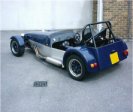
Can anyone tell me how to put a picture of my newly completed kit car on to my member profile slot that appears to the left of the screen.
Many thanks
|
|
|
|
|
RazMan
|
| posted on 5/2/07 at 10:39 PM |
|
|
Upload the pic to your archive (200 pixels wide max) then right click on it and copy the properties into your profile avatar address.

Cheers,
Raz
When thinking outside the box doesn't work any more, it's time to build a new box
|
|
|
pauldm
|
| posted on 5/2/07 at 11:57 PM |
|
|
Or you could use http://www.bestimageupload.com/
Browse your computer for the image you want usually in "My Pictures" for a Windows PC & click start uploading.
Hilight the last line of code in the "Direct" row. Paste that code [eg http://www.bestimageupload.com/files/m4mzyyom5tnj2mlutl3c.jpg]
into your Profile under "Avatar URL"
|
|
|
ChrisGamlin
|
| posted on 6/2/07 at 07:31 PM |
|
|
Paul, what is your car out of interest?
|
|
|