
Any Atmel AVR C programmers on here?
AdrianH - 6/1/10 at 09:26 PM
A very long shot, but this hobby programmer is getting stuck with his locost based project.
Adrian
coozer - 6/1/10 at 09:31 PM
? wot u on about eh?
MikeR - 6/1/10 at 09:51 PM
haven't done c in years, not done atmel - but willing to help out if i can.
Madinventions - 6/1/10 at 09:59 PM
I do a lot of PIC and 68B09 C coding...
What's the problem?
Ed.
Bluemoon - 6/1/10 at 10:17 PM
Just started playing but with the simple Arduino boards, worth a look as it's very simple to program, and based on the AVR..
Dan
AdrianH - 6/1/10 at 10:22 PM
Long story short.
Sticking an accelerometer chip to an Atmega 168 with LCD.
Uses ADC to read the output from acc'n chip and want to display 'g' in LCD going from - to + depending on brake or accelerating.
Have problem using itoa() function and do not really understand where going wrong in understanding
xacc is value from Analogue to digital, ADC and ranges from 0 to 1023 but in HEX so 0 to 3FF.
Zero g is hapening at 480 or 1E0, around mid range.
When I have 1 g the value is 730, so it increases by 250, when -1 g it drops to 230.
So trying to use the following
int16_t xacc=0, // signed integer value for g
char numstr[4]; // string variable
xacc = ((480-ADC)/25);
itoa(xacc,numstr,10); // convert integer to string
i=0;
while(i<3){
lcd_gotoxy(i,1);
lcd_putc(numstr);
i++;
}
I must be messing up variable types but can never get negative numbers to display correctly or even the maths to work properly.
Being an occasional C user does not help.
Adrian
p.s.
It takes a long time to type this stuff in.
I use Studio 4 and boards from tuxgraphics, it is fun when things work but after trying for two nights and getting no further, I need a push.
Just find many programming forums tend to assume you know C like you know how to walk and can not understand we are not all experts!
pps
No idea why all this italicised text has happened
[Edited on 6-1-10 by AdrianH]
iank - 6/1/10 at 10:39 PM
[quote][i]Originally posted by AdrianH[/i]
Long story short.
Sticking an accelerometer chip to an Atmega 168 with LCD.
Uses ADC to read the output from acc'n chip and want to display 'g' in LCD going from - to + depending on brake or accelerating.
Have problem using itoa() function and do not really understand where going wrong in understanding
xacc is value from Analogue to digital, ADC and ranges from 0 to 1023 but in HEX so 0 to 3FF.
Zero g is hapening at 480 or 1E0, around mid range.
When I have 1 g the value is 730, so it increases by 250, when -1 g it drops to 230.
So trying to use the following
int16_t xacc=0, // signed integer value for g
char numstr[4]; // string variable
xacc = ((480-ADC)/25);
itoa(xacc,numstr,10); // convert integer to string
i=0;
while(i<3){
lcd_gotoxy(i,1);
lcd_putc(numstr[i]);
i++;
}
I must be messing up variable types but can never get negative numbers to display correctly or even the maths to work properly.
Being an occasional C user does not help.
Adrian
p.s.
It takes a long time to type this stuff in.
I use Studio 4 and boards from tuxgraphics, it is fun when things work but after trying for two nights and getting no further, I need a push.
Just find many programming forums tend to assume you know C like you know how to walk and can not understand we are not all experts!
pps
No idea why all this italicised text has happened
[Edited on 6-1-10 by AdrianH] [/quote]
italicised text is due to the [i] in lcd_putc(numstr[i]);
Try [code][/code] tags or switching off BBCode (tickybox at bottom of text entry section.
First thing I'd try is to directly output ADC
i.e.
xacc = ADC;
That way you know if you are getting sensible values from the device.
Does itoa correctly deal with signed 16 bit numbers? It seems to me that the itoa function will be trying to fill your 3 character plus NULL string
with 4/5 characters, all bets are off as to the effects as you're overrunning the string by 2 characters into the next variable on the stack.
Try making the string 8 rather than 4 (powers of 2 work best  )
)
Final edit for now, why are you using a while loop at the end? Seems to be more suited to a for() loop both for readability and to give the compiler
an opportunity for some more optimisation.
[Edited on 6/1/10 by iank]
[Edited on 6/1/10 by iank]
[Edited on 6/1/10 by iank]
[Edited on 6/1/10 by iank]
AdrianH - 6/1/10 at 10:53 PM
If I use xacc = ADC then the same itoa function.
The display will work going from 230 to 780 depending on which way up the chip is, so know it is all OK with normal integers.
Just after I have done the maths on it strange things happen, not liking negative numbers I think.
Just going to use fixed numbers and forget the ADC to see what result is.
Why I use a particular loop is just lack of knowledge, self training for me tends to mean, if it works use it again until I learn another way
[Edited on 6-1-10 by AdrianH]
iank - 6/1/10 at 10:57 PM
quote:
Originally posted by AdrianH
If I use xacc = ADC then the same itoa function.
The display will work going from 230 to 780 depending on which way up the chip is, so know it is all OK with normal integers.
Just after I have done the maths on it strange things happen, not liking negative numbers I thing.
Just going to use fixed numbers and forget the ADC to see what result is.
Try making the string longer as a first step to guarantee you avoid any overruns (unless atoi works differently on AVR targets).
Debugging on microcontrollers can get a bit frustrating as you need to fiddle around to see what's going on but it's very rewarding when it
all comes together.
Sorry for the train of conciousness edits on the above message 
Edit: Sorry I'm probably talking tosh as the /25 should knock it down to fewer characters.
[Edited on 6/1/10 by iank]
Madinventions - 6/1/10 at 11:04 PM
Taking the ADC input as 230, 430 and 730 and the output 'G' as -1,0,+1 then the equation to convert this is:
G = ( 0.003947 * adc ) -1.8289
To get this, I plotted the graph in Excel, then added a trendline and displayed the equation.
I guess you can't use floating point maths? If you could then it'd be a simple case of using this formula and then a function such as
'ftoa' to convert it to an ascii string to print.
If you are stuck with integer maths then you need to convert his formula to integers. Currently, you are defining 'xacc' as an integer so
it will only ever display -1,0,1,2 etc. The usual trick to getting around this is to scale the integer with fixed point math, so you would scale
everything by 100 for 2 decimal places, or 1000 for 3 etc. Basicall this means that you would calculate the G to be '100' when the adc is
730, and you'd display the 100 as 1.00 by inserting a decimal point in the output string. I'll explain more in a moment...
So, to scale the formula to integer math, we do the following:
Original formula:
xacc = ( 0.003947 * adc ) -1.8289
Scale so output is -100, 0, +100
xacc = ( 0.3947 * adc ) -182.89
Instead of multiplying with 0.3947, you could divide by 1/0.3947 which is about 2.53.
xacc = (adc/2.5) - 183
The 2.5 is still not an integer value, so it needs to be scaled too:
xacc = ((adc/5)*2)-183
You can check this all out in Excel - it should work ok...
So we've now got a value for xacc of -100 when adc=230, 0 when adc=430 and +100 when adc=730. It's actually -91, -11, 109 but this is close
enough for what is required.
To display this as -0.91, -0.11 and 1.09 you need to modify the display routine to insert the decimal point in the correct place.
--- CODE ---
int16_t xacc=0, // signed integer value for g
char numstr[8]; // string variable
xacc = ((adc/5)*2)-183;
itoa(xacc,numstr,10); // convert integer to string
if (xacc<0)
{
lcd_gotoxy(0,1);
lcd_putc(numstr[0]); // print '-' symbol
lcd_gotoxy(1,1);
lcd_putc(numstr[1]); // print x.00 value
lcd_gotoxy(2,1);
lcd_putc( '.' ) ; // print decimal point
lcd_gotoxy(3,1);
lcd_putc(numstr[2]); // print 0.x0 value
lcd_gotoxy(4,1);
lcd_putc(numstr[3]); // print 0.0x value
}else{
lcd_gotoxy(0,1);
lcd_putc( ' ' ) ; // print a space for positive numbers (or '+' )
lcd_gotoxy(1,1);
lcd_putc(numstr[0]); // print x.00 value
lcd_gotoxy(2,1);
lcd_putc( '.' ) ; // print decimal point
lcd_gotoxy(3,1);
lcd_putc(numstr[1]); // print 0.x0 value
lcd_gotoxy(4,1);
lcd_putc(numstr[2]); // print 0.0x value
}
--- END OF CODE ---
This all assumes that itoa() converts -100 as "-100" and 100 as "100 ". I've laid the printing routine out line by line to
try and make it easier to follow.
As others have said, I've made the string buffer bigger just in case...
No guarantees this works exactly, but it should point you in the right direction.
Ed.
MikeR - 6/1/10 at 11:05 PM
oooh this takes me back to the days when i had to code without a debugger.....
output each step to the screen so you can see what happens.
atoi definately should handle negatives.
When handling strings in C you've got to be aware all you're doing is copying memory - if you get it wrong you trash lots of memory and
things go bang. Always make sure you're string is one character bigger than you need. Eg if you want to write HELLO - you have 5 characters
therefore you make your string 6 characters. Also - always make sure your string is full of nulls before you do anything with it, memset is one way of
doing this.
AdrianH - 6/1/10 at 11:11 PM
As to the number of characters, this was my working!
ADC max possible count is 1023 or 3FF Hex reading for '0 g' is 480. Would like to show eventually from 0.0 to 1.5 g I can add the
decimal point without going to floating maths.
So for 1.5 g the ADC should be a value of around 480 + 250 + 125 = 855.
The maths should get this down to a 2 digit ascii number
as in (855-480)/25 = 15 change to 1.5 g later.
If it was braking and the reading was -1.5 g the ADC should be approx
(105-480)/25 = -15.
So assumed the string length would be a max of 3.
ps
I really need to type responses faster.
Thanks for the input guys keep it comming, just may take me a while to respond as I need to follow it all as well!
So to display '-15' my string length needs to be 4 characters?
It does say that it handles neg numbers.
NOTE, I am not clearing the string before I reuse it!!!
Just used
xacc = ADC
yacc = 0 (Zero)
zacc = -5
Display shows
XACC YACC ZACC
482...0||2...-5||
The . are just to keep the spacing.
But the || must be the termination character and 2 is left over from xacc = ADC.
Does that make sence?
[Edited on 6-1-10 by AdrianH]
[Edited on 6-1-10 by AdrianH]
[Edited on 6-1-10 by AdrianH]
Madinventions - 6/1/10 at 11:16 PM
With these values, the Excel equation becomes:
xacc = (0.04 * adc) - 19.2
Again, modify the ' * 0.04 ' to integer math and you get:
xacc (adc/25) - 19
Ed.
iank - 6/1/10 at 11:17 PM
Just run your algorithm and all seems fine (needed to make a few changes to run on gcc but the code is essentially the same.
Used
#include <stdio.h>
void itoa(short value, char * str, int base)
{
sprintf(str, "%d", value);
}
void gtest(short adc)
{
short xacc=0; // signed integer value for g
char numstr[4]; // string variable
short i;
xacc = ((480-adc)/25);
itoa(xacc,numstr,10); // convert integer to string
i=0;
while(i<3){
// lcd_gotoxy(i,1);
putc(numstr[i], stdout);
i++;
}
}
int main()
{
short xx;
for (xx=230; xx<=720; xx++)
{
gtest(xx);
printf(", ");
}
printf("n");
return 0;
}
Produces this list of numbers
10, 9, 9, 9, 9, 9, 9, 9, 9, 9, 9, 9, 9, 9, 9, 9, 9, 9, 9, 9, 9, 9, 9, 9, 9, 9, 8, 8, 8, 8, 8, 8, 8, 8, 8, 8, 8, 8, 8, 8, 8, 8, 8, 8, 8, 8, 8, 8, 8, 8,
8, 7, 7, 7, 7, 7, 7, 7, 7, 7, 7, 7, 7, 7, 7, 7, 7, 7, 7, 7, 7, 7, 7, 7, 7, 7, 6, 6, 6, 6, 6, 6, 6, 6, 6, 6, 6, 6, 6, 6, 6, 6, 6, 6, 6, 6, 6, 6, 6, 6,
6, 5, 5, 5, 5, 5, 5, 5, 5, 5, 5, 5, 5, 5, 5, 5, 5, 5, 5, 5, 5, 5, 5, 5, 5, 5, 4, 4, 4, 4, 4, 4, 4, 4, 4, 4, 4, 4, 4, 4, 4, 4, 4, 4, 4, 4, 4, 4, 4, 4,
4, 3, 3, 3, 3, 3, 3, 3, 3, 3, 3, 3, 3, 3, 3, 3, 3, 3, 3, 3, 3, 3, 3, 3, 3, 3, 2, 2, 2, 2, 2, 2, 2, 2, 2, 2, 2, 2, 2, 2, 2, 2, 2, 2, 2, 2, 2, 2, 2, 2,
2, 1, 1, 1, 1, 1, 1, 1, 1, 1, 1, 1, 1, 1, 1, 1, 1, 1, 1, 1, 1, 1, 1, 1, 1, 1, 0, 0, 0, 0, 0, 0, 0, 0, 0, 0, 0, 0, 0, 0, 0, 0, 0, 0, 0, 0, 0, 0, 0, 0,
0, 0, 0, 0, 0, 0, 0, 0, 0, 0, 0, 0, 0, 0, 0, 0, 0, 0, 0, 0, 0, 0, 0, 0, 0, -1, -1, -1, -1, -1, -1, -1, -1, -1, -1, -1, -1, -1, -1, -1, -1, -1, -1, -1,
-1, -1, -1, -1, -1, -1, -2, -2, -2, -2, -2, -2, -2, -2, -2, -2, -2, -2, -2, -2, -2, -2, -2, -2, -2, -2, -2, -2, -2, -2, -2, -3, -3, -3, -3, -3, -3,
-3, -3, -3, -3, -3, -3, -3, -3, -3, -3, -3, -3, -3, -3, -3, -3, -3, -3, -3, -4, -4, -4, -4, -4, -4, -4, -4, -4, -4, -4, -4, -4, -4, -4, -4, -4, -4,
-4, -4, -4, -4, -4, -4, -4, -5, -5, -5, -5, -5, -5, -5, -5, -5, -5, -5, -5, -5, -5, -5, -5, -5, -5, -5, -5, -5, -5, -5, -5, -5, -6, -6, -6, -6, -6,
-6, -6, -6, -6, -6, -6, -6, -6, -6, -6, -6, -6, -6, -6, -6, -6, -6, -6, -6, -6, -7, -7, -7, -7, -7, -7, -7, -7, -7, -7, -7, -7, -7, -7, -7, -7, -7,
-7, -7, -7, -7, -7, -7, -7, -7, -8, -8, -8, -8, -8, -8, -8, -8, -8, -8, -8, -8, -8, -8, -8, -8, -8, -8, -8, -8, -8, -8, -8, -8, -8, -9, -9, -9, -9,
-9, -9, -9, -9, -9, -9, -9, -9, -9, -9, -9, -9,
Madinventions - 6/1/10 at 11:22 PM
Ah...
Change your print routine to exit when numstr [ i ] = 0 (termination character).
[Edited on 6/1/10 by Madinventions]
rf900rush - 6/1/10 at 11:23 PM
Long shot as I,m a novice in Pic's with C.
But is your string length " char numstr[4]; // string variable" not too short?
as for example -1234 has 6 -,1,2,3,4,+end of string.
Found LINKY if it's any help.
As a note when you get it going
I built a 3 axis +/-18, +/-18, +/-30 PIC base version for a Foamie RC plane.
Results had upto 12G peaks. 
I thought wow until I plotted them, looks like it was the propeller vibration, causing most of it.
Mark II will have to wait for a while.
Martin
Madinventions - 6/1/10 at 11:24 PM
i=0;
while(numstr [ i ] !=0 && i<4)
{
lcd_gotoxy( i, 1) ;
lcd_putc(numstr [ i ] ) ;
i++;
}
Quick and dirty... there's a million ways to do it better!
[Edited on 6/1/10 by Madinventions]
iank - 6/1/10 at 11:26 PM
quote:
Originally posted by Madinventions
Ah...
Change your print routine to exit when numstr = 0 (termination character).
Good point, well made, but that just prevents garbage characters, doesn't affect the failure to print '-' signs or correct values
(unless it corrupts the LCD in a very strange way)
I suspect the itoa function...
iank - 6/1/10 at 11:32 PM
quote:
Originally posted by Madinventions
i=0;
while(numstr [ i ] !=0 && i<4)
{
lcd_gotoxy( i, 1) ;
lcd_putc(numstr [ i ] ) ;
i++;
}
Quick and dirty... there's a million ways to do it better!
[Edited on 6/1/10 by Madinventions]
Indeed if itoa() is guaranteed to put a NULL in the right place you can just do
i=0;
while(numstr [ i ])
{
lcd_gotoxy( i, 1) ;
lcd_putc(numstr [ i ] ) ;
i++;
}
Madinventions - 6/1/10 at 11:35 PM
Just used
xacc = ADC
yacc = 0 (Zero)
zacc = -5
Display shows
XACC YACC ZACC
482...0||2...-5||
Does this mean that the xacc=482 showed 482, yacc=0 showed 0||2, and zacc=-5 showed -5|| ? If so then stopping when the null terminator is detected
will get rid of the || on the display and the extra '2' in the yacc example.
Adrian - can you confirm this?
Ed.
I wish I could type faster...!
Edit to say: I'm not sure if you can guarantee itoa() to put the null terminator in the right position. In my experience, -15 will convert to
"-15<null>' (null in pos 3)and +15 will convert to "15<null>" (null in pos 2) so it is different for positive and
negative values, let alone single digit values where the null is in position 1 for positive and position 2 for negative.
I added the ' && i<4' part as a safeguard just in case there is ever a case when the buffer overruns or the itoa() function has a
wobbly moment. It's not strictly necessary but it's standard code practice in the line of work I do to make sure every event is covered.
It makes for robust code if nothing else.
Ed.
[Edited on 6/1/10 by Madinventions]
[Edited on 6/1/10 by Madinventions]
iank - 6/1/10 at 11:39 PM
quote:
Originally posted by Madinventions
Just used
xacc = ADC
yacc = 0 (Zero)
zacc = -5
Display shows
XACC YACC ZACC
482...0||2...-5||
Does this mean that the xacc=482 showed 482, yacc=0 showed 0||2, and zacc=-5 showed -5|| ? If so then stopping when the null terminator is detected
will get rid of the || on the display and the extra '2' in the yacc example.
Adrian - can you confirm this?
Ed.
I wish I could type faster...!
Think you've got it.
Probably trying to display
4 0 -5
but junk from the stack (in the string memory space) is getting printed out.
AdrianH - 6/1/10 at 11:40 PM
Madinventions
Using ADC/25-19
will display from 10 to -10, still have the issue with the || symbol, but this is a later task.
Still finding it strange, when I have defined xacc as a signed 16 bit interger should it not have a range from - 32767 to + 32767 ?
So still not understanding why (ADC-480)/25 would not work when ADC/25 - 19 does????
I tried at one point ((ADC-480)*5)/2 at one point to get 100 range.
I need to read these replies for a bit longer.
This would have been an ideal thread for the chat room.
So
AdrianH - 6/1/10 at 11:44 PM
How do I cope with the variable null position?
Or changing null position even
[Edited on 6-1-10 by AdrianH]
iank - 6/1/10 at 11:47 PM
quote:
Originally posted by AdrianH
Madinventions
Using ADC/25-19
will display from 10 to -10, still have the issue with the || symbol, but this is a later task.
If the fragment I posted doesn't work then force all the string values to zero
( numstr[0]=0; numstr[1]=0; numstr[2]=0; numstr[3]=0; ugly but usually quicker than any other way)
quote:
Still finding it strange, when I have defined xacc as a signed 16 bit interger should it not have a range from - 32767 to + 32767 ?
Yes it does
quote:
So still not understanding why (ADC-480)/25 would not work when ADC/25 - 19 does????
I tried at one point ((ADC-480)*5)/2 at one point to get 100 range.
I need to read these replies for a bit longer.
This would have been an ideal thread for the chat room.
So
AdrianH - 6/1/10 at 11:47 PM
I have got to add that the members on this board really do blow my mind as to the varied knowledge that is on here.
Madinventions - 6/1/10 at 11:48 PM
Flick back to page 2... there's been some editing!
You need to do something like this to check for numstr [ i ] = 0 every time around the loop. If the terminator is found, the routine stops
printing.
--CODE--
i=0;
while(numstr [ i ]!=0 && i<4)
{
lcd_gotoxy(i,1);
lcd_putc(numstr[ i ]);
i++;
}
--END OF CODE--
Ed.
iank - 6/1/10 at 11:49 PM
[quote][i]Originally posted by AdrianH[/i]
How do I cope with the variable null position?
Or changing null position even
[Edited on 6-1-10 by AdrianH] [/quote]
i=0;
while(numstr[i])
{
lcd_goto...;
lcd_putc...;
i++;
}
This trundles through the string stopping when it gets to the first NULL. itoa had better be putting one in (or you are clearing the string out
first as shown in my last post). madinventions code will work fine, but will add code that should never be called if itoa is doing its job.
Out of order threads are sooo hard to read
[Edited on 6/1/10 by iank]
[Edited on 6/1/10 by iank]
AdrianH - 6/1/10 at 11:53 PM
I am editing code and trying out in the next few minutes. Will report back, yes posts are getting fun to follow, going back over them and can now see
the code from a few posts ago.
Need two computers one to follow and one to programme.
AdrianH - 7/1/10 at 12:12 AM
Here is the code section.
code:


                if(plen==0){

                lcd_clrscr();

				lcd_puts("Xacc Yacc Zacc";

				//select ADC1 and Use 3.3 Vcc as reference with cap at AREF pin

				//Also set right adjusted in the result

				ADMUX =0x41; //ADC1

				delay_ms(1);

				// start the conversion

				ADCSRA |= 0x40;

				while((ADCSRA&0x40) == 0x40){

				continue;

				}

				xacc = (ADC/25)-19; //put value into xacc

				itoa(xacc,numstr,10); // convert integer to string

				i=0;

				while(numstr [ i ]!=0 && i<4)

				{

				lcd_gotoxy(i,1);

				lcd_putc(numstr[ i ]);

				i++;

				}

//	ADC2

				ADMUX =0x42; //ADC2

				delay_ms(1);

				// start the conversion

				ADCSRA |= 0x40;

				while((ADCSRA&0x40) == 0x40){

				continue;

				}

				yacc = 0; //put value into xacc

				itoa(yacc,numstr,10); // convert integer to string

				i=0;

				while(numstr [ i ]!=0 && i<4)

				{

				lcd_gotoxy(i+5,1);

				lcd_putc(numstr[ i ]);

				i++;

				}

//	ADC3

				ADMUX =0x43; //ADC3

				delay_ms(1);

				// start the conversion

				ADCSRA |= 0x40;

				while((ADCSRA&0x40) == 0x40){

				continue;

				}

				zacc = -5; //put value into xacc

				itoa(zacc,numstr,10); // convert integer to string

				i=0;

				while(numstr [ i ]!=0 && i<4)

				{

				lcd_gotoxy(i+10,1);

				lcd_putc(numstr[ i ]);

				i++;

				}

				delay_ms(500);

				// Ending accellerometer section here

				        continue;

                }
the display works
code:


Xacc  Yacc  Zacc

0        0      -5


or


Xacc  Yacc  Zacc

4       0      -5
depending on ADC in Xacc as others still fixed
[Edited on 7-1-10 by AdrianH]
[Edited on 7-1-10 by AdrianH]
Madinventions - 7/1/10 at 12:13 AM
EDIT to say 'Yippee!' too!
Ok, there's going to be a formatting problem with my previous code as it doesn't do the decimal point positons for you.
Here's some code that should do it and includes the numstr clearing correctly suggested earlier. Again, I've unwrapped the code to make it
easier to follow (hopefully)!! It's not pretty, but...
--CODE--
int16_t xacc=0, // signed integer value for g
char numstr[4]; // string variable
numstr[0]=0;
numstr[1]=0;
numstr[2]=0;
numstr[3]=0;
xacc = (adc/25)-19;
itoa(xacc,numstr,10); // convert integer to string
// 0 = "0", -1 = "-1", -10 = "-10", 1 = "1", 10 = "10"
// Modify so 0 = " 0.0", -1 = "-0.1", -10="-1.0", 1=" 0.1", 10 = " 1.0"
// This will get messy!
if (xacc>=0 && xacc<10) // 0 to 9 -> " 0.0" to " 0.9"
{
lcd_gotoyxy(0,1);
lcd_putc( ' ' ) ;
lcd_gotoyxy(1,1);
lcd_putc( '0' ) ;
lcd_gotoyxy(2,1);
lcd_putc( '.' ) ;
lcd_gotoyxy(3,1);
lcd_putc( numstr[0] ) ;
}
if (xacc>=10) // 10 to 99 -> " 1.0" to " 9.9"
{
lcd_gotoyxy(0,1);
lcd_putc( ' ' ) ;
lcd_gotoyxy(1,1);
lcd_putc( numstr[0] ) ;
lcd_gotoyxy(2,1);
lcd_putc( '.' ) ;
lcd_gotoyxy(3,1);
lcd_putc( numstr[1] ) ;
}
if (xacc>=-10 && xacc<0) // -9 to 0 -> "-0.9" to "-0.1"
{
lcd_gotoyxy(0,1);
lcd_putc( '-' ) ; // could use numstr[0] here...
lcd_gotoyxy(1,1);
lcd_putc( '0' ) ;
lcd_gotoyxy(2,1);
lcd_putc( '.' ) ;
lcd_gotoyxy(3,1);
lcd_putc( numstr[1] ) ;
}
if (xacc<-10) // -10 to -99 -> "-1.0" to "-9.9"
{
lcd_gotoyxy(0,1);
lcd_putc( '-' ) ; // could use numstr[0] here...
lcd_gotoyxy(1,1);
lcd_putc( numstr[1] ) ;
lcd_gotoyxy(2,1);
lcd_putc( '.' ) ;
lcd_gotoyxy(3,1);
lcd_putc( numstr[2] ) ;
}
--END OF CODE--
Ed.
[Edited on 7/1/10 by Madinventions]
AdrianH - 7/1/10 at 12:14 AM
Can I thank you all enough!
iank - 7/1/10 at 12:18 AM
Excellent
There's plenty of tidying up/optimisation possible but that's easy once it's producing the right results.
Madinventions - 7/1/10 at 12:22 AM
No problem, glad we could help!
It just goes to show that LocostBuilders can normally come up with an answer for anything!
Ed.
ashg - 7/1/10 at 12:24 AM
how did i miss this one you guys had all the fun without me.
oh that was it i was out dragging the other half home.
AdrianH - 7/1/10 at 12:27 AM
Just re tied thexacc (ADC-480)/25 and whilst it goes positive when I go negative it displays 2612.
So that is another evening play, the display being sorted goes a lot further to my understanding of it all.
The project when completed will hopefully have, and this will be many moons away, a 3 axis g meter, rev counter and a wheel turns counter providing
mph.
In effect a simple tech meter along the lines of the Gtech gear.
Also plan to send data to USB stick if at all possible for Excell work.
It keeps the grety matter ticking and at passed mid-life I need it.
Thanks again for the help from you.
Hi Ash you can tell the weather is crap, I'm back at the computer for hours!
[Edited on 7-1-10 by AdrianH]
Madinventions - 7/1/10 at 12:42 AM
Oooh this is starting to sound stunningly familiar! I made a touchscreen controller for my Mojo that reads a 3 axis accelerometer, tacho, speed and
the OBD data from the Ford ECU! It also had datalogging to a SD card, and I added shift lights and a 0-60 timer just for fun. The code for this will
be getting an overview soon as I'm upgrading to a Megasquirt system so I need to rehash it all to interface with that to get coolant temperatures
etc. I used a PIC 18F8722 for my board and coded it all with the Swordfish PICBasic compiler.
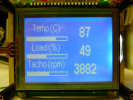
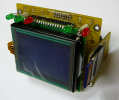
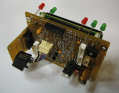
Link to my website...
Anyhoo - I couldn't resist having another little fiddle with the code so far!
void PrintAcc(adcval as int16_t, pos as int8_t)
// adcval is 0-1023 adc reading, pos is position to print on the lcd.
{
char numstr[4]; // string variable
numstr[0]=0;
numstr[1]=0;
numstr[2]=0;
numstr[3]=0;
adcval = (adcval/25)-19;
itoa(adcval,numstr,10); // convert integer to string
//This is the formatting that needs to occur:
//value itoa() display
//-10 "-10" "-1.0"
//-1 "-1" "-0.1"
// 0 "0" " 0.0"
// 1 "1" " 0.1"
// 10 "10" " 1.0"
if (adcval>=0 && adcval<10) // 0 to 9 -> " 0.0" to " 0.9"
{
lcd_gotoyxy(0+pos,1);
lcd_putc( ' ' ) ;
lcd_gotoyxy(1+pos,1);
lcd_putc( '0' ) ;
lcd_gotoyxy(2+pos,1);
lcd_putc( '.' ) ;
lcd_gotoyxy(3+pos,1);
lcd_putc( numstr[0] ) ;
}
if (adcval>=10) // 10 to 99 -> " 1.0" to " 9.9"
{
lcd_gotoyxy(0+pos,1);
lcd_putc( ' ' ) ;
lcd_gotoyxy(1+pos,1);
lcd_putc( numstr[0] ) ;
lcd_gotoyxy(2+pos,1);
lcd_putc( '.' ) ;
lcd_gotoyxy(3+pos,1);
lcd_putc( numstr[1] ) ;
}
if (adcval>=-10 && adcval<0) // -9 to 0 -> "-0.9" to "-0.1"
{
lcd_gotoyxy(0+pos,1);
lcd_putc( '-' ) ; // could use numstr[0] here...
lcd_gotoyxy(1+pos,1);
lcd_putc( '0' ) ;
lcd_gotoyxy(2+pos,1);
lcd_putc( '.' ) ;
lcd_gotoyxy(3+pos,1);
lcd_putc( numstr[1] ) ;
}
if (adcval<-10) // -10 to -99 -> "-1.0" to "-9.9"
{
lcd_gotoyxy(0+pos,1);
lcd_putc( '-' ) ; // could use numstr[0] here...
lcd_gotoyxy(1+pos,1);
lcd_putc( numstr[1] ) ;
lcd_gotoyxy(2+pos,1);
lcd_putc( '.' ) ;
lcd_gotoyxy(3+pos,1);
lcd_putc( numstr[2] ) ;
}
}
void convert()
{
delay_ms(1);
// start the conversion
ADCSRA |= 0x40;
while((ADCSRA&0x40) == 0x40)
{
continue;
}
}
void main()
{
while(1)
{
lcd_clrscr();
lcd_puts("Xacc Yacc Zacc";
//select ADC1 and Use 3.3 Vcc as reference with cap at AREF pin
//Also set right adjusted in the result
// ADC1
ADMUX =0x41; // ADC1
convert(); // Start the conversion and wait for completion...
PrintAcc(ADC,0);// Convert, format, and print the result.
// ADC2
ADMUX =0x42; // ADC2
convert();
PrintAcc(ADC,5);
// ADC3
ADMUX =0x43; // ADC3
convert();
PrintAcc(ADC,10);
}
delay_ms(250);
}
I've basically chucked a few of the parts into subroutines and tidied up a few bits. It may or may not help?
Ed.
[Edited on 7/1/10 by Madinventions]
AdrianH - 7/1/10 at 01:05 AM
That looks very good indeed.
Just using the Atmega 168 here with free software from Atmel the Studio 4 package that also uses GCC. I play and fiddle until stuff works, as you can
probably tell.
But! and this is a big but for me. I need a reason to learn code, to just try and follow a book does not get it in my head. I need a reason to
continue with something or else I can give it up.
All done on the cheep side here, as mentioned my board came from tuxgraphics together with the programming lead. The board is the surface mount one
with a web type interface. Have used it before as a type of link between two boards to measure latency through the Internet and monitor TTL and
battery voltage. A sort of remote monitoring tool if you will.
But now want something for the car.
I will go through your code later today, try and understand what it is doing and go on from there. I now understand the null pointer section and now
realise I need to reformat it to show 0.x value or - 0.x value.
The maths will work if I use (ADC/2.5)-192 to give 0 to 100 display. So still to figure why (ADC-480)/25 will not work out.
But too late for now.
Cheers and thanks again.
Adrian
p.s
sure the last posts and this one disappeared from the forum, then came back again. Must be me!
[Edited on 7-1-10 by AdrianH]
Madinventions - 7/1/10 at 01:28 AM
Ok, one last quick thought before I go and find somewhere warm (I'm in the workshop and my calor gas heater has just run out... brr!!)
You'll probably find that the ADC variable is declared somewhere as a uint16. Therefore if you have an ADC value of say 230 and the routine has
the function (ADC-480)/25 then the compiler will first try to calculate 230-480 (ignore the /25 for now). Using signed math this will be = -250.
Correct. However, if ADC is a uint, the compiler will assume that the '480' is also a uint and will do the calculation using unsigned
integers (0-65535). Negative values are not allowed in the result so it will 'wrap-around' and give you a value of 65536-250 = 65286. When
this is divided by 25 you get the 2612 you see on the display.
So, you either need to copy the ADC value into a int16 variable before using it in this formula, or you need to typecast the ADC variable to force the
compiler to use signed math and be aware that it may have to handle negative values.
int16_t adcval;
adcval = adc;
xacc = (adcval-480)/25;
or the typecast version:
xacc = ((int16)ADC-480)/25;
The actual syntax may be slightly different from this but this is one of the standard pitfalls of integers and C coding!
Hope this helps, let us know how you get on.
Best regards,
Ed.
[Edited on 7/1/10 by Madinventions]
splitrivet - 7/1/10 at 09:58 AM
Wish I never started reading this thread my brain really hurts now.
Cheers,
Bob
skinned knuckles - 7/1/10 at 10:09 AM
all of a sudden i feel really stupid! 
Madinventions - 7/1/10 at 10:53 AM
Yep - that's how I feel when I try to weld 2 bits of metal together!
Microcontroller programming: no problem.
Welding: Fire, pain, pigeon poo, disaster.
Ed.
02GF74 - 7/1/10 at 11:42 AM
quote:
Originally posted by AdrianH
The maths will work if I use (ADC/2.5)-192 to give 0 to 100 display. So still to figure why (ADC-480)/25 will not work out.
the result will be different according to variable types: signed or unsigned integers.
but also you have 2.5 in the equation - that is not gonna give you exepcted result using integer math.
MikeR - 7/1/10 at 12:00 PM
not sure if i'm talking down & apologise if i am. Just in case you're not aware ...
Integer - whole number only eg 3, 12, 21. Can't do 2.4. Has a range of 0-???? if 8bit 256, if 16 bit 64,000ish (ok 65,500ish)
Signed integer - same as integer but the first half of the number is classed as negative. Eg 16 bit signed integer is -32000 to +32000 instead of 0 to
64000. If you started with the very first value and added 1 to it it would be classed as -31999, if you add 32000 to it, the computer thinks its
actually 0.
If you want to have a value with a decimal point it it, ie a real number you need to use floating point. the problem with floating point point is that
its a) slow and b) (scarily) imprecise. For reasons i won't go into the computer doesn't hold the actual number like 2.5 is holds an
approximation that would be something 2.500000000001. This can then mess you up when you start doing something like 2.5 - 2.5 and expecting 0.
If you try to do integer / floating point the computer will (depending on the complier) try to do something - but you can't guarantee what it
will do without experimentation and its likely to not do what you want unless you're being REALLY clever. We used to do tricks of writing 100
character strings into a 1 character strings knowing it would overwrite the next 99 characters. This was deliberate as it was faster than 20 or 30
separate writes which is what it really needed.
02GF74 - 7/1/10 at 12:16 PM
quote:
Originally posted by MikeR
not sure if i'm talking down & apologise if i am. Just in case you're not aware ...
Signed integer - same as integer but the first half of the number is classed as negative. Eg 16 bit signed integer is -32000 to +32000 instead of 0 to
64000. If you started with the very first value and added 1 to it it would be classed as -31999, if you add 32000 to it, the computer thinks its
actually 0.
not sure if i'm talking down & apologise if i am. Just in case you're not aware ...
not strictly correct.
most micros use 2's (twos) complement to represent negative numbers.
I won't go into details - google it as I am sure itwold be described better - but addition of positve and negative numbers will product the
correct result.
mircos cannot perform subtraction - this is done by the addition of a negative number. (I've not come across hardware for a subtrator but adders
are easy to do)
another representation of negatvie numbers is to use the most significant bit as the sign bit; if set then number is negative. this is fine but the
addition and subtraction will not give correct result is some cases (without some conversion?) hence reason why 2's complement is used.
[Edited on 7/1/10 by 02GF74]
MikeR - 7/1/10 at 01:01 PM
eeek - its been a while. having to read up again now to relearn what i've obviously forgotten from my PC coding days. Sorry for the
miss-information.
(i do vaguely remember at uni make up a adders circuit using logic gates - which i seem to recall needed two half adders which was a combination of
AND gates plus something else).
MikeRJ - 7/1/10 at 01:14 PM
quote:
Originally posted by MikeR
If you want to have a value with a decimal point it it, ie a real number you need to use floating point.
You only need floating point maths when you are dealing with numbers that have a very large range, i.e. they can be very small or very large, and the
floating point allows you to trade off resolution against range.
In the vast majority of embedded applications you can get away without using floating point maths, by using fixed point maths instead. Normally you
would not scale intermediate values by factors of ten, but rather by factors of two since this gives you the most efficient/fastest calculations
(though obvioulsy you need to scale the final result by a power of ten to display decimal places).
In the last 14 years I've not worked on an embedded project that actually required floating point operations, though it can certainly make things
simpler sometimes if you can spare the memory and speed overhead.
BTW Adrian, you are going to have problems interfacing to a USB stick. If you really want to do this you should be looking at a different micro, one
with a USB "On The Go" peripheral that can work as a (limited) USB master. Your best bet for portable flash storage would be to save to an
SD card. These can be accessed by an SPI interface which makes things much easier, though the code required for handling the FAT16/32 file system is
pretty large.
BTW, if you are using a standard character based LCD then you don't need to position the cursor prior to writing each character providing the LCD
has been initialised properly.
code:

while( ( numstr[ i ] !=0 ) && ( i<4 ) )

{

	lcd_gotoxy(i+10,1);

	lcd_putc(numstr[ i ]);

	i++;

}


lcd_gotoxy(10,1);

while( ( numstr[ i ] !=0 ) && ( i<4 ) )

{

	lcd_putc(numstr[ i ]);

	i++;

}
It would make more sense to add an string writing function to your LCD driver as well, this would save you having to implement a loop every time you
want to write a string, which saves memory.
code:

/**

 * Write a null terminated string to the LCD.

 * Assumes cursor is at correct location prior to calling.

 * @param str Pointer to null terminated string.

 */

void lcd_puts( char *str )

{

    while( *str )

    {

        lcd_putc( *str++ );

    }

}


/**

 * Write a null terminated string to the LCD up to specified number of characters.

 * Assumes cursor is at correct location prior to calling.

 * @param str Pointer to null terminated string.

 * @param len Number of characters to write.

 */

void lcd_putsn( char *str, unsigned int len )

{

    while( *str && len )

    {

        lcd_putc( *str++ );

        len--;

    }

}
Arrggghh...I'd forgotten how uselessly broken the CODE tags are on this forum! The CODE tags should instruct the parser to ignore any control
characters within the section, and it plainly does not! Also we don't need double spacing enabled, and it should not remove multiple spaces.
iank - 7/1/10 at 01:16 PM
quote:
Originally posted by MikeR
eeek - its been a while. having to read up again now to relearn what i've obviously forgotten from my PC coding days. Sorry for the
miss-information.
(i do vaguely remember at uni make up a adders circuit using logic gates - which i seem to recall needed two half adders which was a combination of
AND gates plus something else).
AND gate for the carry, XOR for the sum.
Doing a 2's complement subtractor in hardware isn't difficult at all, it's an adder with one input inverted and a 1 stuck in the carry
LSB carry in.
MikeR - 7/1/10 at 01:25 PM
quote:
Originally posted by MikeRJ
quote:
Originally posted by MikeR
If you want to have a value with a decimal point it it, ie a real number you need to use floating point.
You only need floating point maths when you are dealing with numbers that have a very large range, i.e. they can be very small or very large, and the
floating point allows you to trade off resolution against range.
In the vast majority of embedded applications you can get away without using floating point maths, by using fixed point maths instead. Normally you
would not scale intermediate values by factors of ten, but rather by factors of two since this gives you the most efficient/fastest calculations
(though obvioulsy you need to scale the final result by a power of ten to display decimal places).
I was trying to keep it simple for the guy - we used to store all prices in our system as integers to 2, 3 and 4 assumed decimal places depending on
where you where in the system (never quite sure why we didn't standardise - hoped it was some cleverly thought out rounding trick to make us more
money instead of the more likely 3 developers 3 approaches scenario).
AdrianH - 7/1/10 at 07:33 PM
More and more input, will have to catch up after a club meet.
On number types types I will work out how the compiler is working but putting in fixed values and seeing what the result is working out at.
I believe some compilers could work out the maths in floating point if a floating point number was used, but if the end result was an integer, you
would loose the decimal at the end. Could well be wrong, as I am really only a beginner, it is a pass time not a careerer with me and just helps me
think logically sometimes!
The LCD routines are all pre written, using 4 bits of the I/O port, there is clear screen which sets cursor to top right, has functions for characters
and strings and cursor position and probably a few I do not know yet.
On the AVR forum there are others the atmega devices to USB, sticks, but memory cards would be fine also.
Things have moved on a lot since I originally did a weather satellite decoding system with 8 bit resolution (grey ) on the old Z80 processor.
Anyone remember Nascom?
Adrian
iank - 7/1/10 at 08:05 PM
quote:
Originally posted by AdrianH
...
Anyone remember Nascom?
Adrian
Yes (showing my age).
I've even programmed Z80's professionally in C and assembler.
AdrianH - 7/1/10 at 10:39 PM
I have tried something simple to check out the maths bit, that is to see how the compiler is dealing with the division by 2.5.
So I used xacc = (500/2.5)-196 and the answer on the screen was 4
So it looks as though the compiler is dealing with the decimal divide correctly.
This was my thinking. If it trunkated the 2.5 to 2 the answer would have been 54
If it rounded 2.5 up to 3 then the anser would have been -29
I then checked with xacc = (600/2.5)-196 and the answer on the screen was 44. This just seeming to confirm the bit above.
I then used xacc = (303/2.5)-196 On a calculator the answer is -74.8 and the display is -74 s
xacc = (503/2.5)-196 indicates 5 on the display(should be 5.2)
So it is showing that the compiler uses what ever number type it thinks is correct, but then chops the decimal point for the integer required result.
I think this is good as the error should be minimised.
Adrian
o it is indicating to me that
Madinventions - 7/1/10 at 10:57 PM
I think that when the compiler sees '2.5' it knows it has to do the calculation with floating point math. If you put in a '2' it
would use integer math.
The reason it is losing the decimal after conversion is that xacc is defined as an integer.
If speed isn't an issue and you're not trying to conserve memory, then floating point will be fine. Integer math will be considerably
faster, but the conversion to readable format is a bit more involved as we've seen.
Try making xacc a float variable, and use ftoa() instead of itoa(). You should get decimal values on your display if that's what you want.
Ed.
AdrianH - 8/1/10 at 12:02 AM
Sorry for not getting back to you before.
Just playing around a bit more with code and following one of your previos posts on why I got the 26612 number.
and as you said it must be down to the type of ADC.
Using another variable as
int16_t acc =0;
then in the code
xacc= (acc-480)/2.5 it all works as expected.
Using the time to go through the posts and slowly learn by trying it all out step by step and trying to follow what is happening. Time for sleep I
think and more tomorrow, I will look for ftoa in the complier liberies and see if in there and how it works etc.
MikeRJ - 8/1/10 at 01:17 PM
quote:
Originally posted by AdrianH
I have tried something simple to check out the maths bit, that is to see how the compiler is dealing with the division by 2.5.
So I used xacc = (500/2.5)-196 and the answer on the screen was 4
So it looks as though the compiler is dealing with the decimal divide correctly.
Right, in this case both sides of the floating point calculation are constants, so the compiler is free to make this calculation itself and replace
the calculation with the integer result i.e. the actual code it compiles will be:
xacc = 200-196;
This is very handy as it allows you to make the compiler do all sorts of floating point calculations and as long as the result is constant it should
all be optimised out.
quote:
Originally posted by AdrianH
xacc= (acc-480)/2.5 it all works as expected.
Here you have a non-constant floating point division, so the compiler has no choice to but to implement this. Check your code size and execution
speed, it's probably an order of magnitude slower than the first expression. There is a simple fix, scale everything to avoid floating point
values e.g.
xacc= ((acc-480) * 2)/5;
If acc is an unsigned value you can force the use of a bitwise shift to replace the multiply (though multiplications on the ATmega are pretty fast)
e.g.
xacc= ((acc-480)<<1)/5;
If this doesn't reduce you code size it's possible you have other floating point operations and the floating point library is still being
included.
If you are interested in writing to SD cards with the ATmega there is a lot of information and code
here.
[Edited on 8/1/10 by MikeRJ]
AdrianH - 8/1/10 at 07:44 PM
Thanks for the input Mike.
I had a bit of time and stripped off of the superflous code out of this programme, I had it answering pings and had a web page etc.
So now all it will actually do is use the ADC and write the results to the screen
The programme was just over 3 K at 20%
With the change so not using 2.5 as above reduced to 9% at 1.5 K sh programme.
Speed has not really increased but this will be down to use of simple delays I have so I can read the LCD.
Cheers
Adrian